Businesses are increasingly adopting multi-cloud strategies to leverage the unique strengths of different cloud providers, avoid vendor lock-in, and ensure high availability and disaster recovery.
However, managing data across multiple clouds presents its own set of challenges, particularly when it comes to data replication. In this blog, we’ll explore the strategies for effective data replication across multi-cloud environments and provide a code walkthrough to help you implement these strategies.
Why Multi-Cloud Data Replication?
Before diving into the strategies, let’s understand why multi-cloud data replication is essential:
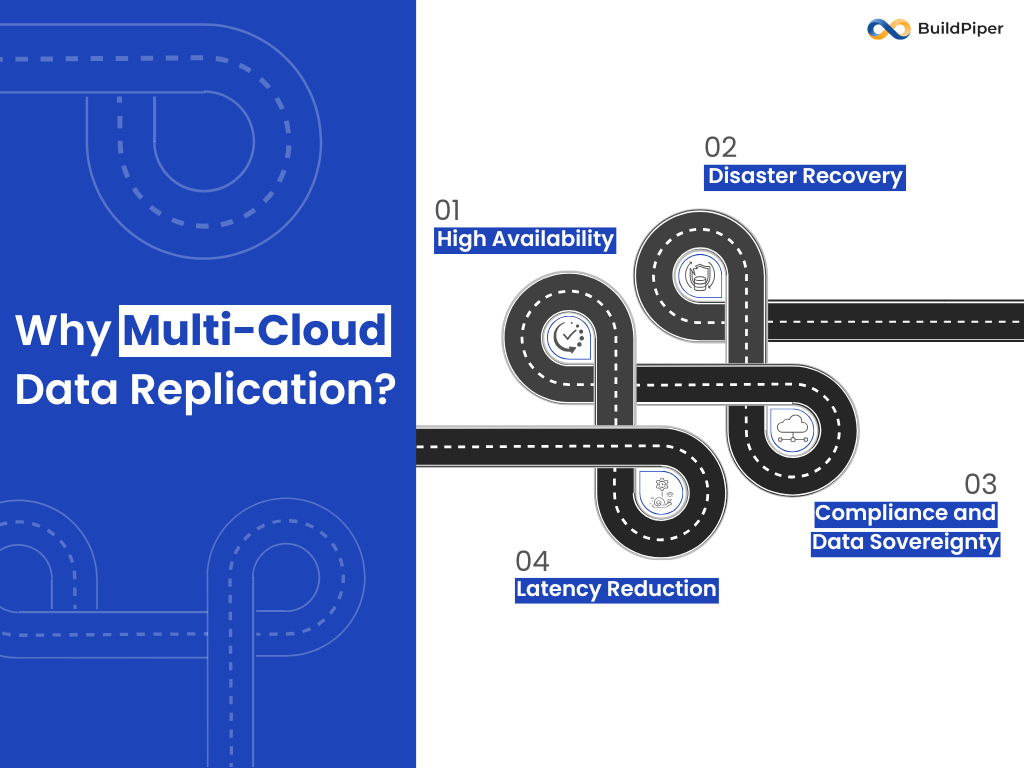
- High Availability: By replicating data across multiple clouds, you ensure that your applications remain available even if one cloud provider experiences downtime.
- Disaster Recovery: Multi-cloud replication provides a robust disaster recovery solution, ensuring data integrity and availability in case of catastrophic failures.
- Latency Reduction: Replicating data closer to end-users can reduce latency, improving the user experience.
- Compliance and Data Sovereignty: Different regions have different data regulations. Multi-cloud replication allows you to store data in compliance with local laws.
Strategies for Multi-Cloud Data Replication
To ensure seamless data replication across multiple clouds, businesses must adopt tailored strategies that balance consistency, availability, and performance while addressing the unique challenges of distributed cloud environments.
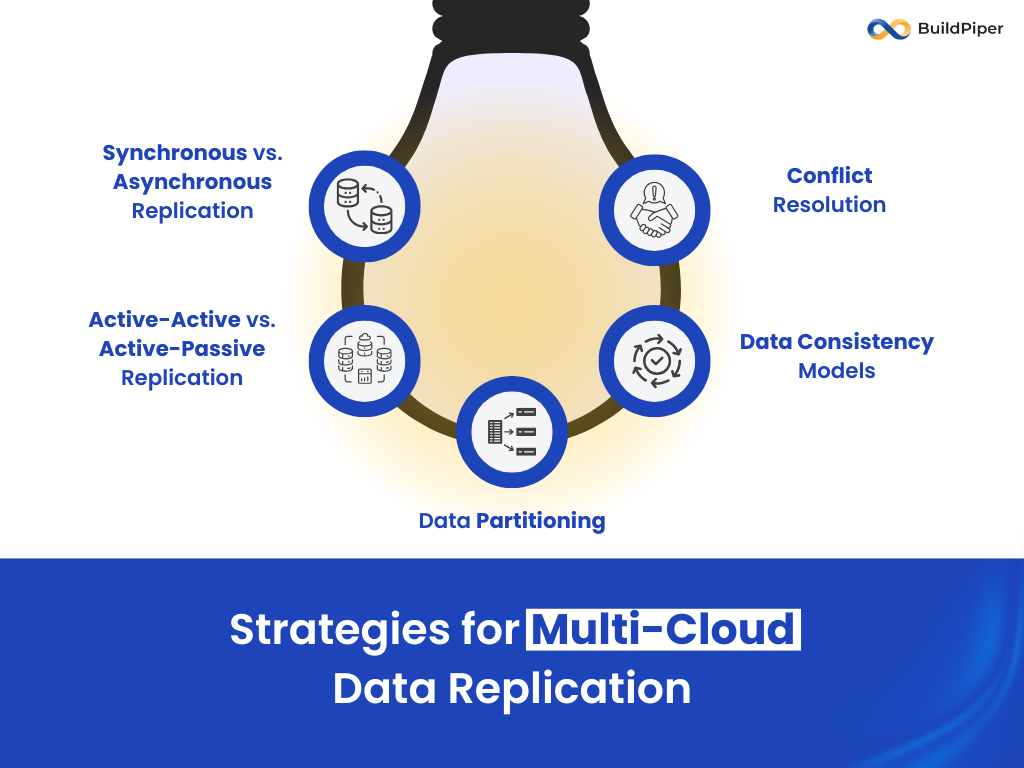
- Synchronous vs. Asynchronous Replication
Synchronous Replication: Data is written to multiple clouds simultaneously. This ensures strong consistency but can introduce latency.
Asynchronous Replication: Data is written to one cloud and then replicated to others with a slight delay. This reduces latency but may result in temporary inconsistencies.
- Active-Active vs. Active-Passive Replication
Active-Active: Data is read and written to multiple clouds simultaneously. This setup provides high availability and load balancing but requires careful conflict resolution.
Active-Passive: One cloud is active for read/write operations, while others are on standby. This is simpler to manage but may not provide the same level of availability.
- Data Partitioning
Sharding: Data is partitioned across multiple clouds based on a shard key. Each shard is managed independently, reducing the complexity of replication.
Geographical Partitioning: Data is partitioned based on geographical regions, ensuring that data is stored closer to the users.
- Conflict Resolution
Last-Write-Wins (LWW): The most recent write overwrites previous writes. This is simple but may result in data loss.
Vector Clocks: A more sophisticated approach that uses vector clocks to track causality and resolve conflicts.
- Data Consistency Models
Strong Consistency: Ensures that all replicas are consistent at all times. This is ideal for financial transactions but can introduce latency.
Eventual Consistency: Allows replicas to be temporarily inconsistent but ensures that they will eventually converge. This is suitable for applications where slight delays are acceptable.
Code Walkthrough: Implementing Multi-Cloud Data Replication
Let’s walk through a simple example of implementing multi-cloud data replication using Python and AWS S3, Google Cloud Storage (GCS), and Azure Blob Storage.
Prerequisites:
Python 3.x
Boto3 (AWS SDK for Python)
Google Cloud Storage Client Library
Azure Storage Blob Client Library
Step 1: Setting Up Cloud Credentials
First, ensure that you have the necessary credentials for each cloud provider:
- AWS: Set up your AWS credentials using the AWS CLI or environment variables.
- Google Cloud: Create a service account and download the JSON key file.
- Azure: Create a storage account and obtain the connection string.
Step 2: Installing Required Libraries
Install the required libraries using pip:

pip install boto3 google-cloud-storage azure-storage-blob
Step 3: Writing the Replication Script
Create a Python script (multi_cloud_replication.py) to handle data replication across AWS S3, GCS, and Azure Blob Storage. Blob Storage.
python:

import boto3

from google.cloud import storage

from azure.storage.blob import BlobServiceClient

# AWS S3 Configuration

s3_client = boto3.client('s3')

aws_bucket_name = 'your-aws-bucket'

# Google Cloud Storage Configuration

gcs_client = storage.Client.from_service_account_json('path/to/your/service-account-key.json')

gcs_bucket_name = 'your-gcs-bucket'

# Azure Blob Storage Configuration

azure_connection_string = 'your-azure-connection-string'

azure_container_name = 'your-azure-container'

blob_service_client = BlobServiceClient.from_connection_string(azure_connection_string)

container_client = blob_service_client.get_container_client(azure_container_name)

def upload_to_s3(file_name, data):

    s3_client.put_object(Bucket=aws_bucket_name, Key=file_name, Body=data)

    print(f"Uploaded {file_name} to AWS S3")

def upload_to_gcs(file_name, data):

    bucket = gcs_client.bucket(gcs_bucket_name)

    blob = bucket.blob(file_name)

    blob.upload_from_string(data)

    print(f"Uploaded {file_name} to Google Cloud Storage")

def upload_to_azure(file_name, data):

    blob_client = container_client.get_blob_client(file_name)

    blob_client.upload_blob(data)

    print(f"Uploaded {file_name} to Azure Blob Storage")

def replicate_data(file_name, data):

    upload_to_s3(file_name, data)

    upload_to_gcs(file_name, data)

    upload_to_azure(file_name, data)

if __name__ == "__main__":

    file_name = "example.txt"

    data = "This is an example file for multi-cloud replication."

    replicate_data(file_name, data)
Step 4: Running the Script
Run the script to replicate the data across all three cloud providers:
python multi_cloud_replication.py
Step 5: Verifying the Replication
- AWS S3: Check your S3 bucket to verify that the file has been uploaded.
- Google Cloud Storage: Use the Google Cloud Console to verify the file in your GCS bucket.
- Azure Blob Storage: Use the Azure Portal to verify the file in your Azure container.
Step 6: Handling Conflicts and Consistency
In a real-world scenario, you would need to implement conflict resolution and consistency mechanisms. For example, you could use a distributed database like Apache Cassandra or CockroachDB to manage data consistency across multiple clouds.
Step 7: Automating Replication
To automate the replication process, you can use cloud-native tools like:
- AWS DataSync: For transferring data between AWS and other cloud providers.
- Google Cloud Transfer Service: For automating data transfers to and from GCS.
- Azure Data Factory: For orchestrating data movement and transformation across Azure and other clouds.
Conclusion
Data replication across multi-cloud environments is a complex but essential task for ensuring high availability, disaster recovery, and compliance. By understanding the different strategies and leveraging the right tools, you can effectively manage data replication across multiple clouds.
As multi-cloud adoption continues to grow, mastering data replication across multiple clouds will become increasingly important. By following the strategies and code examples provided in this blog, you’ll be well on your way to building a robust multi-cloud data replication solution.
Happy coding!